
Questo articolo è disponibile anche in lingua italiana, al seguente link - Exchange Online: configurare le High Volume Email - WindowServer.it
Several months ago, a new service within Exchange Online was announced, called High Volume Email (HVE), which allows administrators to create email accounts without limits, unlike traditional mailboxes.
The reason for this choice is simple: traditional mailboxes can send a maximum of 30 emails per minute, and their abuse can lower the reputation index of the main domain. For this reason, it is always recommended to use dedicated services and even dedicated domains for mass mailings. Additionally, mailboxes can send up to 10,000 emails per day, which can cause problems.
The need for HVE arose from a change that Microsoft decided to make some time ago, related to blocking the use of Exchange connectors for all Azure resources not provided by an Enterprise Agreement subscription.
Until two years ago, it was possible to have an Azure VM and connect to the connector, but for security reasons, it was decided to limit this possibility, forcing millions of companies to review their email sending logic, especially from management systems and various cloud software, via Authenticated SMTP. The issue is not so much the support but the limits, and for this reason, High Volume Email was introduced.
Configuration
Before starting, it is important to remember that you can, at least for now, create a maximum of 20 HVE per tenant; in practice, it is a 1:1 ratio.
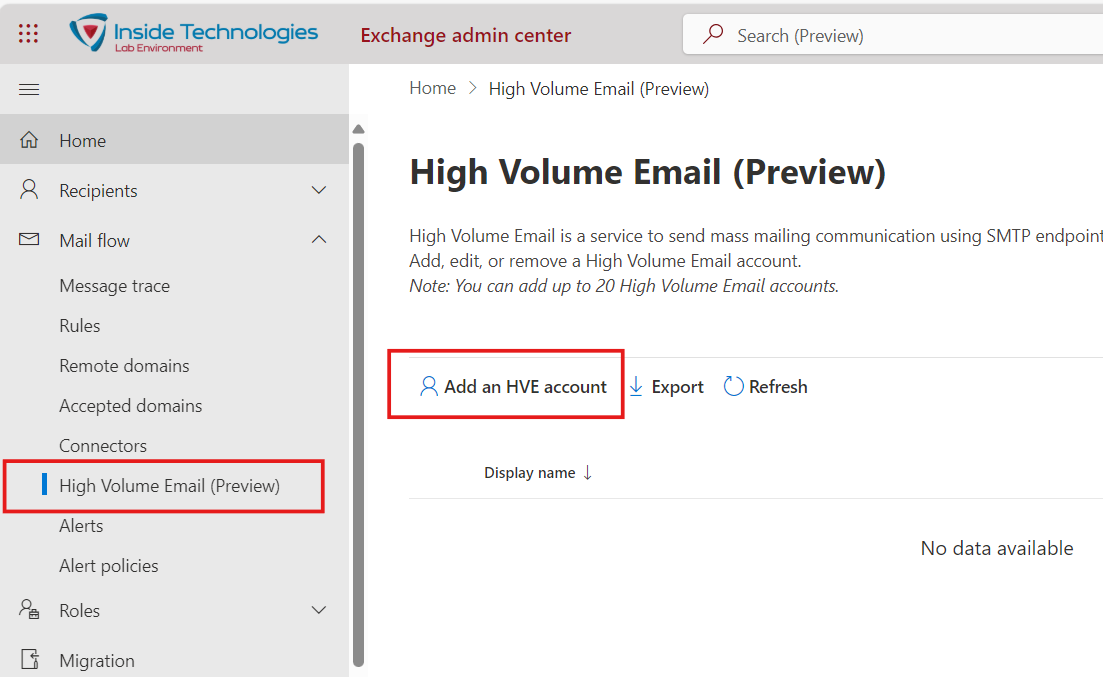
Creating the account is very simple, but be careful: it is not possible to use aliases, as with traditional mailboxes. This, combined with the limit of 20 HVE, requires a detailed analysis of the services that need to use this solution.
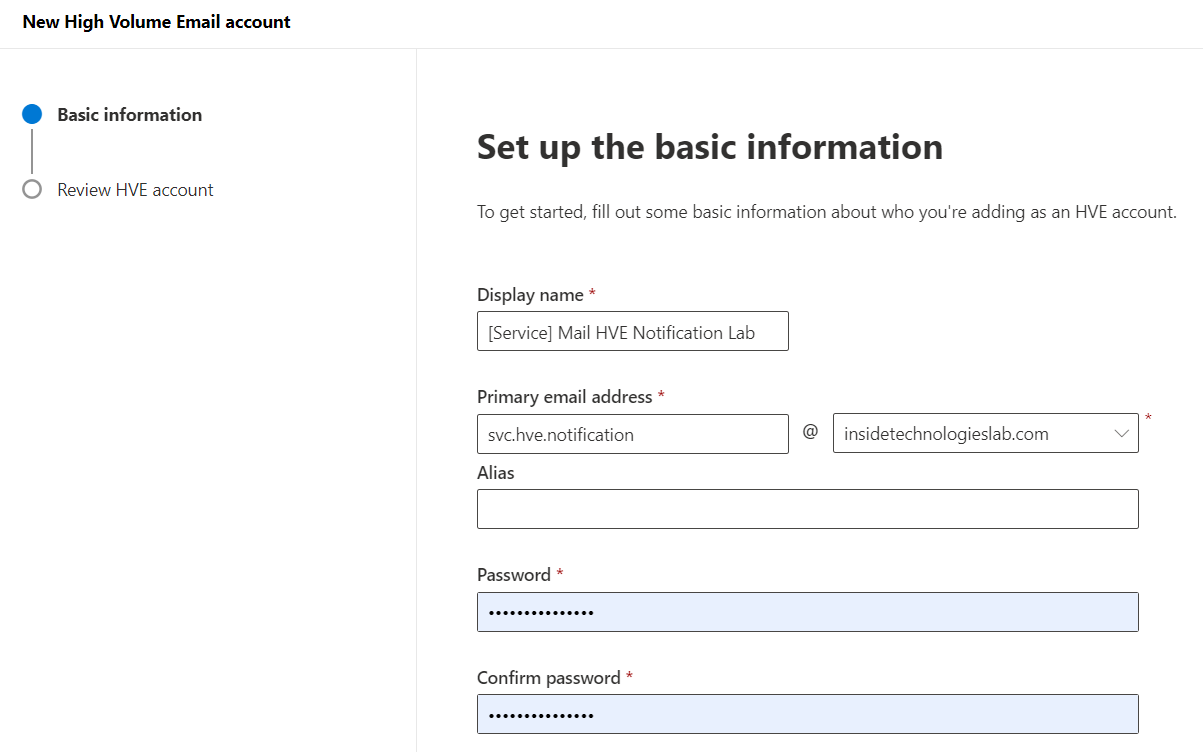
The next step involves creating an ad-hoc rule to reactivate Basic SMTP authentication, which will be associated ONLY with HVE users. To do this, you need to use Azure Cloud Shell or PowerShell with the ExchangeOnline module installed, running the following commands:
New-AuthenticationPolicy -Name "Auth Policy for HVE" -AllowBasicAuthSmtp
Set-User svc.hve.notification -AuthenticationPolicy "Auth Policy for HVE"
Once the accounts are configured, you can test sending by setting these parameters:
- Server: smtp-hve.office365.com
- Port: 587
- TLS: STARTTLS
- Authentication: Username and password
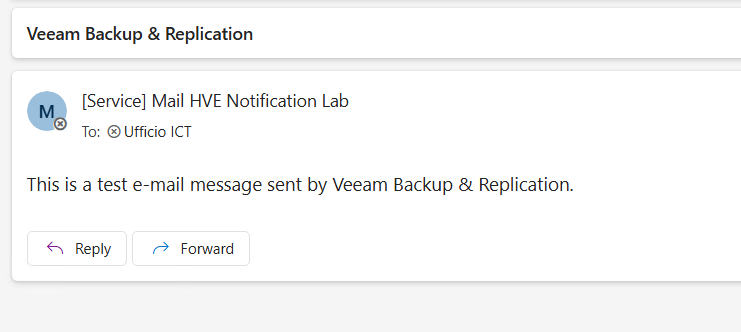
The result will be quite simple in its form.
Reporting
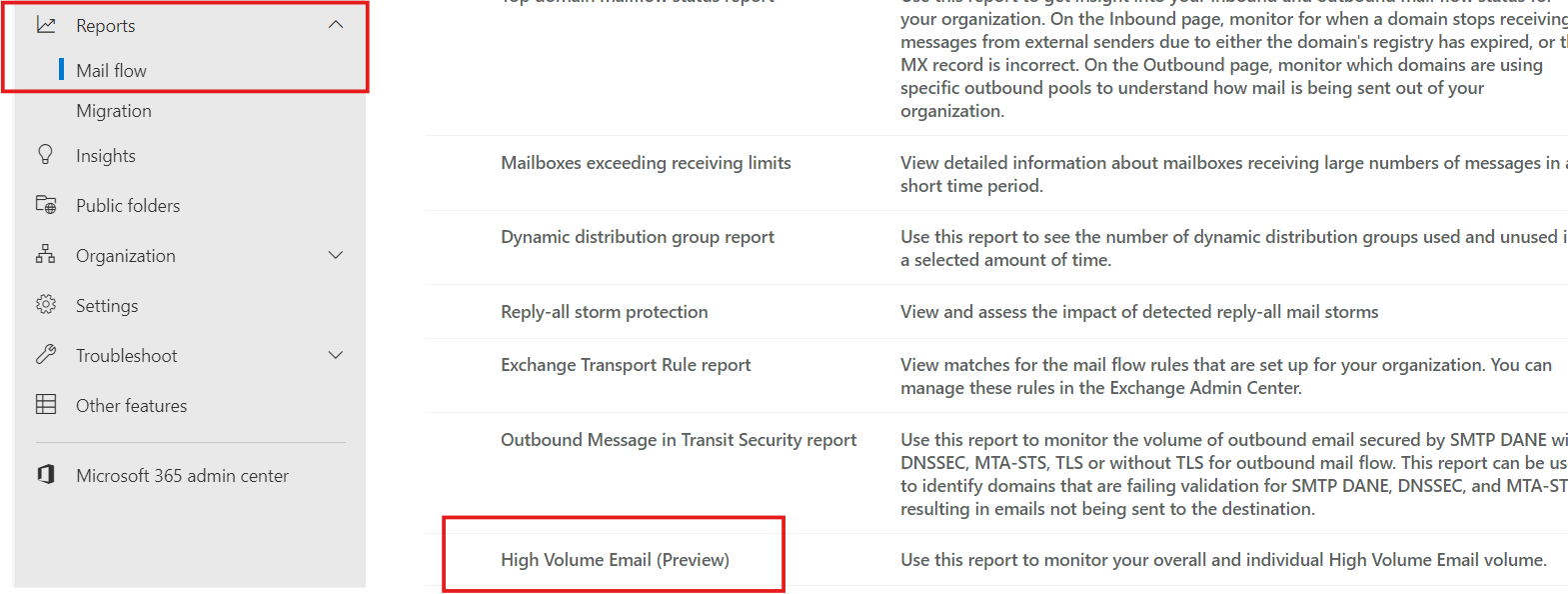
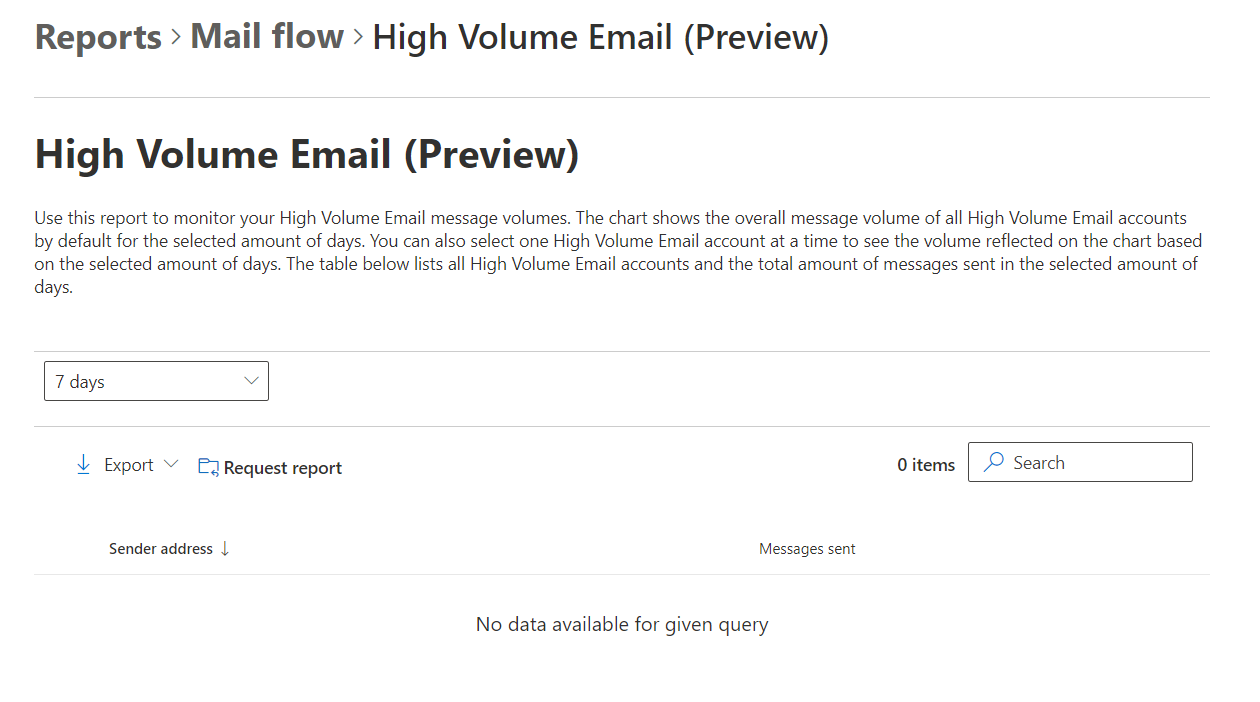
To consult the reports of emails sent via HVE, a dedicated area has been created that can also be used with targeted queries to know if a certain email was sent to a specific address.
Conclusion
High Volume Email is certainly a useful tool for all companies that need to send mass emails in scenarios where the direct connector with Exchange Online is not available. The ability to create dedicated accounts also helps to better track behavior for any analysis purposes.
DBS