
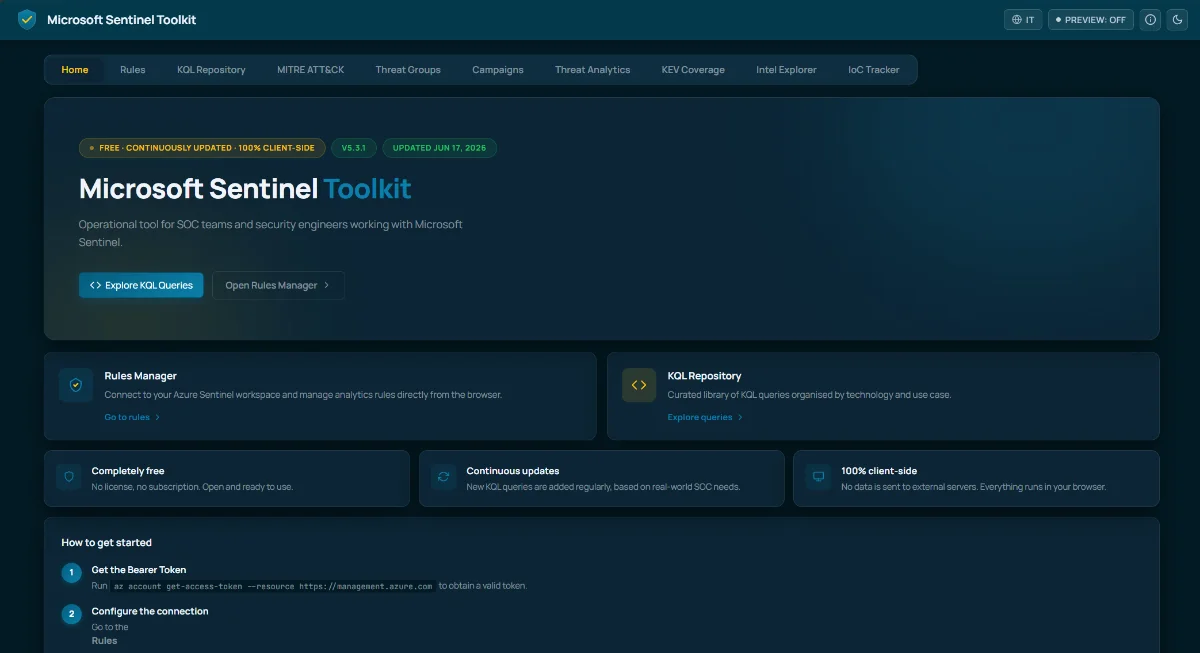
Every project I keep coming back to starts the same way: a task that should take five minutes ends up taking an afternoon, and I get tired of it. The Microsoft Sentinel Toolkit is exactly that story. What began as a small utility to enable analytics rules in bulk turned into a full operational portal for SOC teams - and the part I am proudest of is that it is free and meant to grow with the community.
This post is less about the feature list and more about the why: the original itch, how the scope expanded almost on its own, and what the portal offers today.
The original problem: enabling rules in bulk
If you have ever onboarded a Microsoft Sentinel workspace, you know the friction. You install a content pack, dozens of analytics rules arrive in a disabled state, and there is no quick way to review them, filter the ones that matter, and switch them on at scale. The portal experience is one rule at a time, and that does not survive contact with a real deployment where you are looking at hundreds of detections across multiple solutions.
I wanted one screen where I could connect to a workspace, see every rule with its severity, status, tactics, and techniques, filter aggressively, and then enable or disable a whole selection in one action - with a CSV export for the compliance evidence that inevitably gets requested later.
That was the entire original scope. A rules manager. Nothing more.
💡 The Rules Manager connects to a workspace via Bearer Token and runs entirely in the browser. There is no backend collecting your data - the connection is client-side by design.
Where the scope started to grow
The moment the rules were in front of me as structured data, the obvious questions followed. Which MITRE ATT&CK techniques am I actually covering? Where are the gaps? If a detection fires, what is the query behind it, and can I reuse it in Advanced Hunting?
Answering those questions one workspace at a time is the slow path. Answering them once, in a shared tool, is the leverage. So the toolkit stopped being a rules manager and became a place to reason about detection coverage as a whole. The four areas below are the result.
The KQL Repository
The first addition was a curated KQL query library (over 150!). Over the years I had accumulated queries scattered across notebooks, gists, and old session decks - the kind of knowledge that is useful exactly once and then disappears. Centralizing them into a repository organized by Microsoft technology (Microsoft Defender for Endpoint, Microsoft Defender for Identity, Microsoft Entra, Exchange, and more) made them reusable.
Each query carries its MITRE ATT&CK tags and a one-click copy, so it drops straight into Sentinel or Advanced Hunting. This is the section I expect to grow the fastest, because new detections follow new threats, and that is precisely where community input matters most.
The MITRE ATT&CK coverage map
A query library is useful; knowing what it does not cover is more useful. The MITRE ATT&CK view maps techniques against the KQL library and, when a workspace is connected, against the live analytics rules. It tells you at a glance which techniques are covered by an enabled rule, which are covered only on paper, and which are genuine blind spots.
This reframes the conversation from “how many rules do I have” to “what can I actually detect” - which is the only question that matters during an incident.
Active attack campaigns
Detection coverage is not static, so the toolkit pulls in threat groups and campaigns tracked by MITRE and correlates them with the same coverage data. Instead of an abstract matrix, you get the adversary perspective: these are the groups and operations currently being tracked, and this is whether your rules would see them. It turns the coverage map into something you can prioritize against real activity rather than a generic checklist.
Threat Analytics, Intel Explorer, and the IoC Tracker
The last block is about living indicators rather than static content:
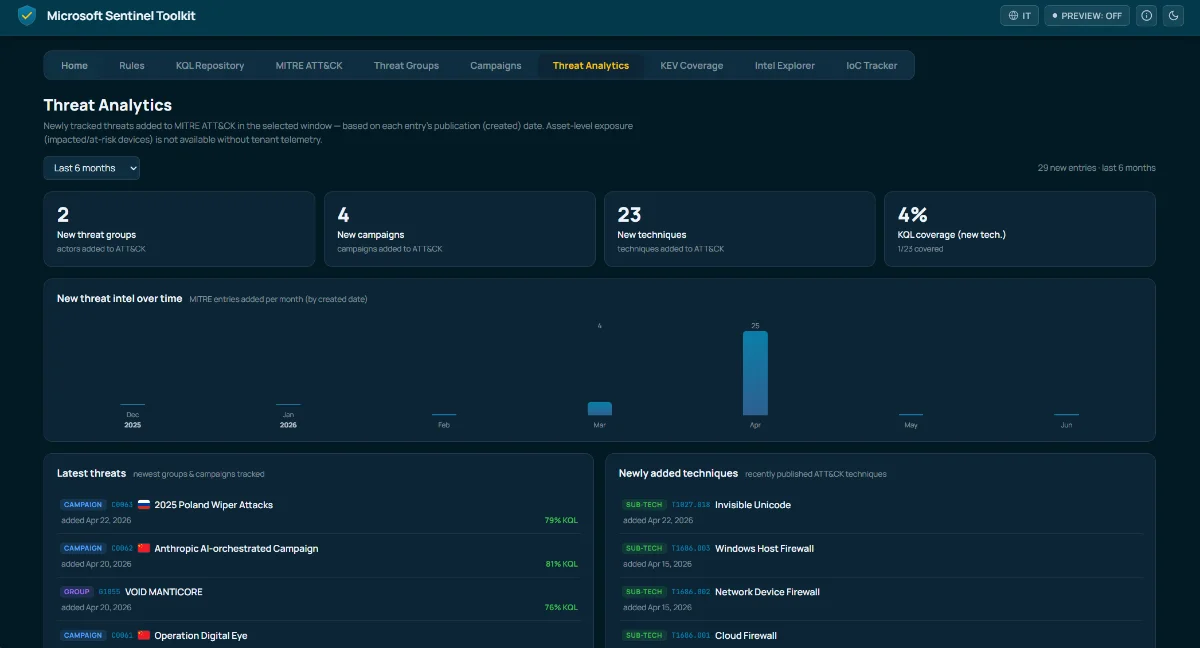
- Threat Analytics surfaces newly tracked threats added to MITRE ATT&CK in a chosen window, so you can see what is new without re-reading the whole framework.
- Intel Explorer correlates live indicators of compromise from public feeds against your loaded Sentinel rules, by malware-family name - making detection gaps obvious.
- IoC Tracker unifies indicators (IPs, domains, URLs, file hashes) from multiple sources, correlates them against your rules, and can generate a KQL hunting query from any indicator you paste in.
There is also a KEV Coverage section that cross-references the CISA Known Exploited Vulnerabilities catalog against your rules and enriches each entry with its EPSS score, so you triage the gaps that are most likely to be exploited first. None of this was in the original plan - it grew out of the same instinct that started the whole thing: if the data is already here, what is the next obvious question?
Free, client-side, and built to be updated
Two principles shaped the implementation. First, everything runs in the browser - no data is sent to external servers, which matters when you are connecting to a production security workspace. Second, the toolkit is completely free, with no license and no subscription, because a detection-coverage tool that only some teams can afford defeats its own purpose.
The goal from here is continuity: keep the portal current with the latest threats, add KQL queries as new attack patterns emerge, and let the community shape what gets prioritized. New queries and improvements are added regularly, and reporting a gap or requesting a detection is meant to be as low-friction as the bulk-enable button that started all of this.
Conclusion
The Microsoft Sentinel Toolkit is a reminder that the best tools rarely arrive fully formed. It started as a fix for one specific annoyance - enabling rules in bulk - and grew into a portal because, once the data was structured, the next useful question kept presenting itself. That is the mindset I want to keep: build the thing that removes today’s friction, then follow it wherever the work leads. The portal is live, it is free, and it gets better the more the community uses it.
Get Started
DBS